
By using our embed code feature, you can add Infobase Database records into any HTML page or Learning Management System.
To embed a record:

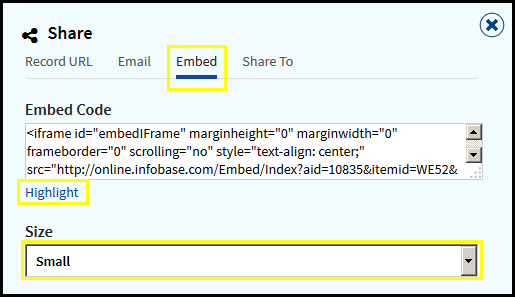
- Click on the Share button in the page tool bar and a pop-up box will appear.
- Click on Embed.
- Choose a Size. This will be the size of the embed window on your web site.
- To copy the code, click the Highlight link. This will automatically select the code.
- Copy the code and paste it where you would like it to be displayed.
Note: If the embedded record is being viewed outside of your institution or if you are not using IP authentication, your users will see a log-in screen and will be prompted to enter a username and password in order to access the embedded record.